Showing posts with label CDO. Show all posts

Saturday, June 4, 2022

"DragonLore" CT for Foxy's Designz


"DragonLore" CT for Foxy's Designz
Tube is "Anna Marine 51-1" by Anna Marine @ CDO
Available for purchase at Creative Design Outlet

Kit is "ScrapFoxy_IB-StanleyMorrison-March2020-AOTM" by Foxy's Designz @ CDO 
Available for purchase at Creative Design Outlet

Font Dragonmaster

Mask: Any of your choice

FILTERS USED:  Gradient Glow, and Drop Shadow.

This tutorial was written by me on 6/4/2022, using my own ideas. Any resemblance to others is coincidental and accidental. This tutorial assumes you have a working knowledge of psp and is written in PSP9.

Please leave some love when downloading supplies. The artists/creators work hard to make/share their work with us, so let's be appreciative. Please use all correct copyright/license information and follow all TOU’s. Let’s give credit where credit is due.

As always, tutorials are only a guideline. If you don't have the exact supplies, use ones you have or ones you choose.


Ok let's begin. 

Copy and paste Paper4_FD and apply your mask.  Merge group. 

Copy and paste your main tube of choice,  and resize as needed and place where desired.  Add dropshadow to the tube.

Now you can place whatever elements you would like, resize as needed and place where desired.   Dropshadow your elements and main tube.  Here are the elements I used:


Element1
Element2
Element3
Element4
Element5
Element6
Element7
Element8
Element9
Element10
Element11
Element12
Element13
Element14
Element15
Element16
Element17
Element18
Element19
Element20


Merge visible and add your copyrights and your name.

I used Dragonmaster font for the name.

Merge all visible and save as PNG.

And your done.  Hope you enjoyed using my tutorial.

xoxo

Angie 

Monday, May 2, 2022

"Dream & Soar" CT for Foxy's Designz

"Dream & Soar" CT for Foxy's Designz

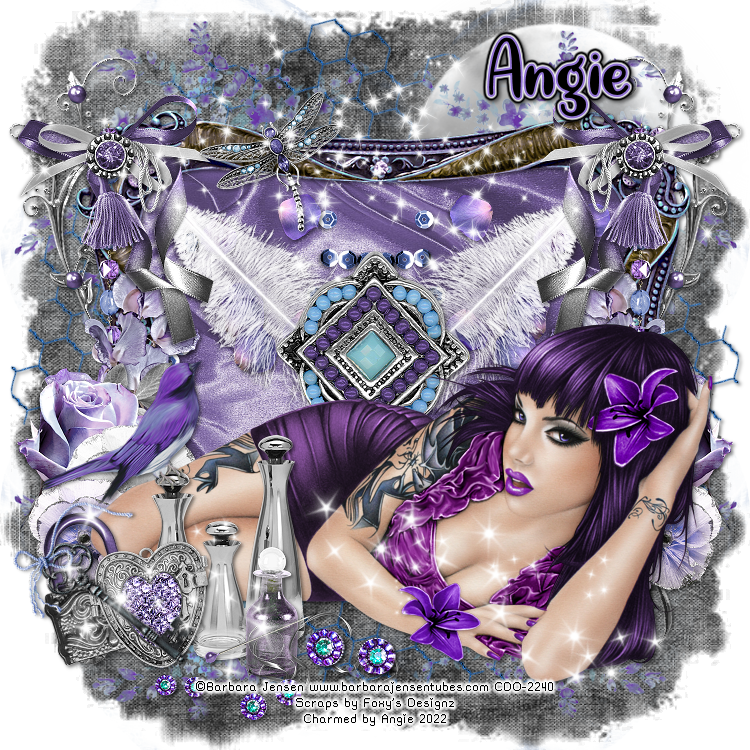
This stunning kit by Foxy's Designz is called "Dream & Soar"

It comes with 44 elements, 5 frames, 12 papers and 2 wordarts

This kit is available for purchase at Creative Design Outlet

Here

Tube is an exclusive by Barbara Jensen-1 available for purchase at Creative Design Outlet

Here

Font: Quite Magical


Mask: Any of your choice


FILTERS USED:  Gradient Glow, and Drop Shadow.


This tutorial was written by me on 5/2/2022, using my own ideas. Any resemblance to others is coincidental and accidental. This tutorial assumes you have a working knowledge of psp and is written in PSP9.


Please leave some love when downloading supplies. The artists/creators work hard to make/share their work with us, so let's be appreciative. Please use all correct copyright/license information and follow all TOU’s. Let’s give credit where credit is due.


As always, tutorials are only a guideline. If you don't have the exact supplies, use ones you have or ones you choose.


Ok let's begin. 


Copy and paste Paper 10 and apply your mask.  Merge group. 

Frame 1

Paste and resize as needed.  Click inside with magic wand, modify, expand by 5.  Paste paper 2 or choice, invert and delete.  Paste Close up tube and invert and delete.  Select none.

Copy and paste your main tube of choice,  and resize as needed and place where desired.  Add dropshadow to the tube.

Now you can place whatever elements you would like, resize as needed and place where desired.   Dropshadow your elements and main tube.  

Here are the elements I used:


2

3

4

5

6

7

8

9

10

11

12

14

15

16

17

26

27

29

31

33

34

36

37

39

41

42

43

44


Merge visible and add your copyrights and your name.

I used Quite Magical font for the name.

Merge all visible and save as PNG.

And your done.  Hope you enjoyed using my tutorial.

xoxo

Angie 
Saturday, April 9, 2022

"Dark Elegance" CT for Foxy's Designz


 "Dark Elegance" CT for Foxy's Designz

 Tube is by Enamorte available for purchase @ Creative Design Outlet

Tube

Kit is called "Dark Elegance" by Foxy's Designz

Available for purchase @ Creative Design Outlet

Kit

Font: Copperplate Gothic Light

Mask: Any of your choice

FILTERS USED:  Gradient Glow, and Drop Shadow.

This tutorial was written by me on 4/10/2022, using my own ideas. Any resemblance to others is coincidental and accidental. This tutorial assumes you have a working knowledge of psp and is written in PSP9.

Please leave some love when downloading supplies. The artists/creators work hard to make/share their work with us, so let's be appreciative. Please use all correct copyright/license information and follow all TOU’s. Let’s give credit where credit is due.

As always, tutorials are only a guideline. If you don't have the exact supplies, use ones you have or ones you choose.

Ok let's begin. 

Copy and paste Paper 3 and apply your mask.  Merge group. 

Frame is Element 124

Paste and resize as needed.  Click inside with magic wand, modify, expand by 2.  Paste paper of choice, invert and delete.  Paste Close up tube and invert and delete.  Select none.

Copy and paste your main tube of choice,  and resize as needed and place where desired.  Add dropshadow to the tube.

Now you can place whatever elements you would like, resize as needed and place where desired.   Dropshadow your elements and main tube.  

Here are the elements I used:


1

2

4

5

6

7

12

13

14

15

16

17

18

19

20

21

22

23

24

25

26

28

30

31

32

34

36

38

46

48

49

50

51

52

53

55


Merge visible and add your copyrights and your name.

I used Copperplate Gothic Light font for the name.

Merge all visible and save as PNG.

And your done.  Hope you enjoyed using my tutorial.

xoxo

Angie


"Mommy Cuddles" CT for Scraps N Company

"Mommy Cuddles" CT for Scraps N Company Kit is "Mommy Cuddles" by Luscious Ladee @ SNCO This kit has 115 elements, 25 pa...