Saturday, June 4, 2022
"DragonLore" CT for Foxy's Designz
Monday, May 2, 2022
"Fairy Realm" CT for Poisonous Designs
Tube is by ©Stella Felice Art and comes with 4 different colors and also 4 with wings
Tube is available for purchase at these stores
Kit is "Enchanted Woods" by Jackie's Jewels. Kit not available anymore but she still has
some amazing kits here at Mystical Scraps
Font: Wizzta
Mask: Any of your choice
FILTERS USED: Gradient Glow, and Drop Shadow.
This tutorial was written by me on 5/2/2022, using my own ideas. Any resemblance to others is coincidental and accidental. This tutorial assumes you have a working knowledge of psp and is written in PSP9.
Please leave some love when downloading supplies. The artists/creators work hard to make/share their work with us, so let's be appreciative. Please use all correct copyright/license information and follow all TOU’s. Let’s give credit where credit is due.
As always, tutorials are only a guideline. If you don't have the exact supplies, use ones you have or ones you choose.
Ok let's begin.
Copy and paste Paper 2 and apply your mask. Merge group.
Copy and paste your main tube of choice, and resize as needed and place where desired. Add dropshadow to the tube.
Now you can place whatever elements you would like, resize as needed and place where desired. Dropshadow your elements and main tube. Here are the elements I used:
Bird1
Bird2
Birdcage
Bottle
Bottles
Bunny
Butterfly2
Butterfly3
Clouds
Cottage
Fairy1
Fairy2
Fairy3
Fairy4
FairyDust
Flowers2
Flowers3
Flowers5
Fox
Frog
Hedgehog
Hill
Lamp
Lantern
Log
Mushroom1
Mushroom2
Mushroom3
Rock
Squirrel
Tree2
Unicorn
Windmill
Wolf
Merge visible and add your copyrights and your name.
I used Wizzta font for the name.
Merge all visible and save as PNG.
And your done. Hope you enjoyed using my tutorial.
xoxo
Angie
"Dream & Soar" CT for Foxy's Designz
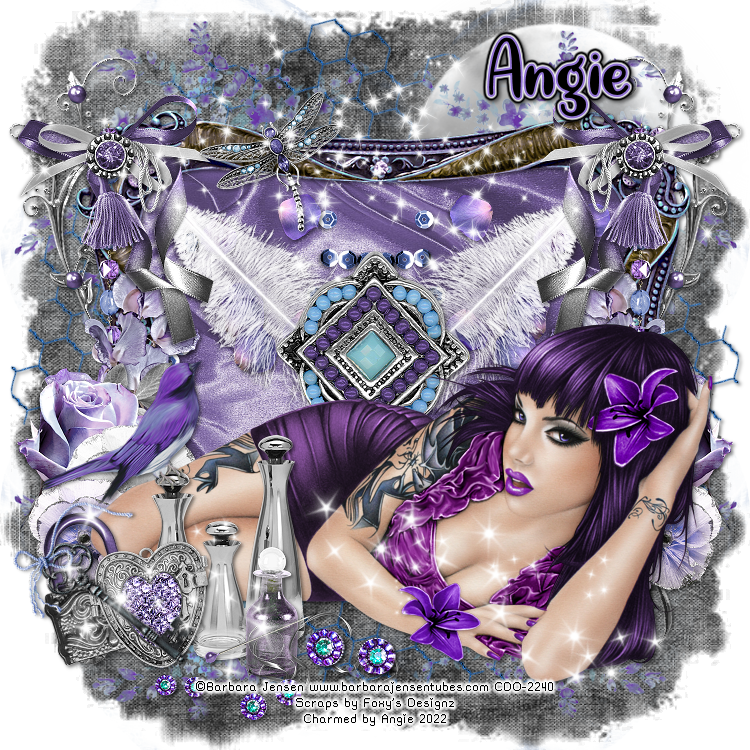
This stunning kit by Foxy's Designz is called "Dream & Soar"
It comes with 44 elements, 5 frames, 12 papers and 2 wordarts
This kit is available for purchase at Creative Design Outlet
Tube is an exclusive by Barbara Jensen-1 available for purchase at Creative Design Outlet
Font: Quite Magical
Mask: Any of your choice
FILTERS USED: Gradient Glow, and Drop Shadow.
This tutorial was written by me on 5/2/2022, using my own ideas. Any resemblance to others is coincidental and accidental. This tutorial assumes you have a working knowledge of psp and is written in PSP9.
Please leave some love when downloading supplies. The artists/creators work hard to make/share their work with us, so let's be appreciative. Please use all correct copyright/license information and follow all TOU’s. Let’s give credit where credit is due.
As always, tutorials are only a guideline. If you don't have the exact supplies, use ones you have or ones you choose.
Ok let's begin.
Copy and paste Paper 10 and apply your mask. Merge group.
Frame 1
Paste and resize as needed. Click inside with magic wand, modify, expand by 5. Paste paper 2 or choice, invert and delete. Paste Close up tube and invert and delete. Select none.
Copy and paste your main tube of choice, and resize as needed and place where desired. Add dropshadow to the tube.
Now you can place whatever elements you would like, resize as needed and place where desired. Dropshadow your elements and main tube.
Here are the elements I used:
2
3
4
5
6
7
8
9
10
11
12
14
15
16
17
26
27
29
31
33
34
36
37
39
41
42
43
44
Merge visible and add your copyrights and your name.
I used Quite Magical font for the name.
Merge all visible and save as PNG.
And your done. Hope you enjoyed using my tutorial.
xoxo
Angie
Sunday, May 1, 2022
"Gothic Darkness" CT for Scraps N Company
Font: My Dragon Harbor
Mask: Any of your choice
FILTERS USED: Gradient Glow, and Drop Shadow.
This tutorial was written by me on 5/2/2022, using my own ideas. Any resemblance to others is coincidental and accidental. This tutorial assumes you have a working knowledge of psp and is written in PSP9.
Please leave some love when downloading supplies. The artists/creators work hard to make/share their work with us, so let's be appreciative. Please use all correct copyright/license information and follow all TOU’s. Let’s give credit where credit is due.
As always, tutorials are only a guideline. If you don't have the exact supplies, use ones you have or ones you choose.
Ok let's begin.
Copy and paste Paper 1 and apply your mask. Merge group.
Copy and paste your main tube of choice, and resize as needed and place where desired. Add dropshadow to the tube.
Now you can place whatever elements you would like, resize as needed and place where desired. Dropshadow your elements and main tube. Here are the elements I used:
arch
berries
berries3
book
books
bottles
bowl
branch
butterfly
candelabre
candelabre2
candle4
dog
flower9
goblet2
greenery5
karafler
oerfume
perfume2
raven
skull2
spider
sparkles
sparkles3
Merge visible and add your copyrights and your name.
I used Dragon Harbor font for the name.
Merge all visible and save as PNG.
And your done. Hope you enjoyed using my tutorial.
xoxo
Angie
"Moonborn" CT for All That Glitters
"Mystical Unicorn" CT for All Dolled Up
This beautiful kit is full of whimsical elements for all your fantasy needs.
This kit includes 145 elements, 8 frames, and 20 papers.
Not all elements shown in preview. This kit also includes a
©Yuki tube. Tube can only be used with kit unless purchased.
PU only
Kit can be puchased at these stores:
Font: Maleficent
Mask: Any of your choice
FILTERS USED: Gradient Glow, and Drop Shadow.
This tutorial was written by me on 5/1/2022, using my own ideas. Any resemblance to others is coincidental and accidental. This tutorial assumes you have a working knowledge of psp and is written in PSP9.
Please leave some love when downloading supplies. The artists/creators work hard to make/share their work with us, so let's be appreciative. Please use all correct copyright/license information and follow all TOU’s. Let’s give credit where credit is due.
As always, tutorials are only a guideline. If you don't have the exact supplies, use ones you have or ones you choose.
Ok let's begin.
Copy and paste Paper 5 and apply your mask. Merge group.
Copy and paste your main tube of choice, and resize as needed and place where desired. Add dropshadow to the tube.
Now you can place whatever elements you would like, resize as needed and place where desired. Dropshadow your elements and main tube. Here are the elements I used:
Yuki 1 Tube
2
3
4
5
14
15
18
19
20
24
25
28
29
48
58
61
71
79
82
85
86
87
88
91
92
105
106
107
124
125
126
130
132
133
151
153
Merge visible and add your copyrights and your name.
I used Maleficent font for the name.
Merge all visible and save as PNG.
And your done. Hope you enjoyed using my tutorial.
xoxo
Angie
Thursday, April 21, 2022
"Fairy Dust" CT for Twisted Misfit Creations
Sunday, April 10, 2022
"Sorceress Charm" CT for All Dolled Up Scraps
Saturday, April 9, 2022
"Steampunk Style" CT for Magnolia Garden Scraps
"Dark Elegance" CT for Foxy's Designz
Tube is by Enamorte available for purchase @ Creative Design Outlet
Kit is called "Dark Elegance" by Foxy's Designz
Available for purchase @ Creative Design Outlet
Font: Copperplate Gothic Light
Mask: Any of your choice
FILTERS USED: Gradient Glow, and Drop Shadow.
This tutorial was written by me on 4/10/2022, using my own ideas. Any resemblance to others is coincidental and accidental. This tutorial assumes you have a working knowledge of psp and is written in PSP9.
Please leave some love when downloading supplies. The artists/creators work hard to make/share their work with us, so let's be appreciative. Please use all correct copyright/license information and follow all TOU’s. Let’s give credit where credit is due.
As always, tutorials are only a guideline. If you don't have the exact supplies, use ones you have or ones you choose.
Ok let's begin.
Copy and paste Paper 3 and apply your mask. Merge group.
Frame is Element 124
Paste and resize as needed. Click inside with magic wand, modify, expand by 2. Paste paper of choice, invert and delete. Paste Close up tube and invert and delete. Select none.
Copy and paste your main tube of choice, and resize as needed and place where desired. Add dropshadow to the tube.
Now you can place whatever elements you would like, resize as needed and place where desired. Dropshadow your elements and main tube.
Here are the elements I used:
1
2
4
5
6
7
12
13
14
15
16
17
18
19
20
21
22
23
24
25
26
28
30
31
32
34
36
38
46
48
49
50
51
52
53
55
Merge visible and add your copyrights and your name.
I used Copperplate Gothic Light font for the name.
Merge all visible and save as PNG.
And your done. Hope you enjoyed using my tutorial.
xoxo
Angie
Friday, April 8, 2022
"Angel of Sorrow" CT for Scraps N Company
***CT for Scraps N Company***
"Angel of Sorrow" CT for Scraps N Company
Tube included in kit by Yulya_EleganceTeam
Kit by Moon Vixen Designs called "Angel of Sorrow"
Kit available Here
Font: Stonehenge
Mask: Any of your choice
FILTERS USED: Gradient Glow, and Drop Shadow.
This tutorial was written by me on 4/9/2022, using my own ideas. Any resemblance to others is coincidental and accidental. This tutorial assumes you have a working knowledge of psp and is written in PSP9.
Please leave some love when downloading supplies. The artists/creators work hard to make/share their work with us, so let's be appreciative. Please use all correct copyright/license information and follow all TOU’s. Let’s give credit where credit is due.
As always, tutorials are only a guideline. If you don't have the exact supplies, use ones you have or ones you choose.
Ok let's begin.
Copy and paste Paper 14 and apply your mask. Merge group.
Copy and paste your main tube of choice, and resize as needed and place where desired. Add dropshadow to the tube.
Now you can place whatever elements you would like, resize as needed and place where desired. Dropshadow your elements and main tube. Here are the elements I used:
5
7
12
16
19
26
51
52
57
67
88
101
106
107
108
120
126
142
143
144
152
160
Merge visible and add your copyrights and your name.
I used Stonehenge font for the name.
Merge all visible and save as PNG.
And your done. Hope you enjoyed using my tutorial.
xoxo
Angie
"Spring Beauty" CT for All That Glitters
***CT for All That Glitters***
The scrap kit I used is called "Spring Beauty" by AngelWingScraps
Tube is by Natalia NZ which is included in the kit.
You can purchase the kit at All That Glitters Store
Font: Enchanted Land
Mask: Any of your choice
FILTERS USED: Gradient Glow, and Drop Shadow.
This tutorial was written by me on 4/9/2022, using my own ideas. Any resemblance to others is coincidental and accidental. This tutorial assumes you have a working knowledge of psp and is written in PSP9.
Please leave some love when downloading supplies. The artists/creators work hard to make/share their work with us, so let's be appreciative. Please use all correct copyright/license information and follow all TOU’s. Let’s give credit where credit is due.
As always, tutorials are only a guideline. If you don't have the exact supplies, use ones you have or ones you choose.
Ok let's begin.
Copy and paste Paper 5 and apply your mask. Merge group.
Frame is Element 124
Paste and resize as needed. Click inside with magic wand, modify, expand by 5. Paste paper of choice, invert and delete. Paste Close up tube and invert and delete. Select none. I also used 2 flower elements and made a flower frame with MuRa's Meister Copies, Encircle setting on default. Placed the flower frame behind the main frame and paper and resized as needed.
Copy and paste your main tube of choice, and resize as needed and place where desired. Add dropshadow to the tube.
Now you can place whatever elements you would like, resize as needed and place where desired. Dropshadow your elements and main tube.
Here are the elements I used:
1
12
16
24
27
39
53
59
64
90
93
94
95
97
102
103
104
112
113
116
Merge visible and add your copyrights and your name.
I used Enchanted Land font for the name.
Merge all visible and save as PNG.
And your done. Hope you enjoyed using my tutorial.
xoxo
Angie
Thursday, April 7, 2022
"Darkness Sparkles" CT for Poisonous Designs
***CT for Poisonous Designz***
This tube is by called "Kela Elegance Regina" by Poisonous Designz
It comes with 4 different tubes all for your goth or halloween needs.
You can purchase this package from here
Here
Here
Or here
The scrap kit I used is called "Darkness Sparkles" by Gothic Inspirations
I used the mini kit but you can purchase the complete kit here
Font: Hanifah
Mask: Any of your choice
FILTERS USED: Gradient Glow, and Drop Shadow.
This tutorial was written by me on 2/17/2022, using my own ideas. Any resemblance to others is coincidental and accidental. This tutorial assumes you have a working knowledge of psp and is written in PSP9.
Please leave some love when downloading supplies. The artists/creators work hard to make/share their work with us, so let's be appreciative. Please use all correct copyright/license information and follow all TOU’s. Let’s give credit where credit is due.
As always, tutorials are only a guideline. If you don't have the exact supplies, use ones you have or ones you choose.
Ok let's begin.
Copy and paste Paper 5 and apply your mask. Merge group.
Copy and paste your main tube of choice, and resize as needed and place where desired. Add dropshadow to the tube.
Now you can place whatever elements you would like, resize as needed and place where desired. Dropshadow your elements and main tube. Here are the elements I used:
Bow1
Bow2
Bush
Butterflies
CandleDrop
Charm
Clouds
Flower1
Flower2
Flower3
Grass
Ivy
Lamp
Leaf1
Leaf2
LockCluster
Moss
Sparkles2
Sparkles
Sticker
Tomb
Tree
Weeds
WA1
Merge visible and add your copyrights and your name.
I used Hanifah font for the name.
Merge all visible and save as PNG.
And your done. Hope you enjoyed using my tutorial.
xoxo
Angie
"Mommy Cuddles" CT for Scraps N Company
"Mommy Cuddles" CT for Scraps N Company Kit is "Mommy Cuddles" by Luscious Ladee @ SNCO This kit has 115 elements, 25 pa...
-
***CT for Poisonous Designz*** This tube is by called "Kela Elegance Regina" by Poisonous Designz It comes with 4 different tube...
-
"Gothic Darkness" CT for Scraps N Company This kit amazing kit by Chili Designz has all your gothic needs This kit includes 108 el...
-
"DragonLore" CT for Foxy's Designz Tube is "Anna Marine 51-1" by Anna Marine @ CDO Available for purchase at Creativ...


